Create an AI Influencer
This guide walks through creating an AI influencer from scratch: planning the persona, designing a consistent look, saving the character, giving her a voice, and making scenes, talking clips and captioned videos. Every image and clip on this page was made in Ads Optimiser for a real character, Juno Vale, including the mistakes we made along the way.
You can follow it in the app, or do everything from a chat with Claude. Example prompts for Claude are in step 9.
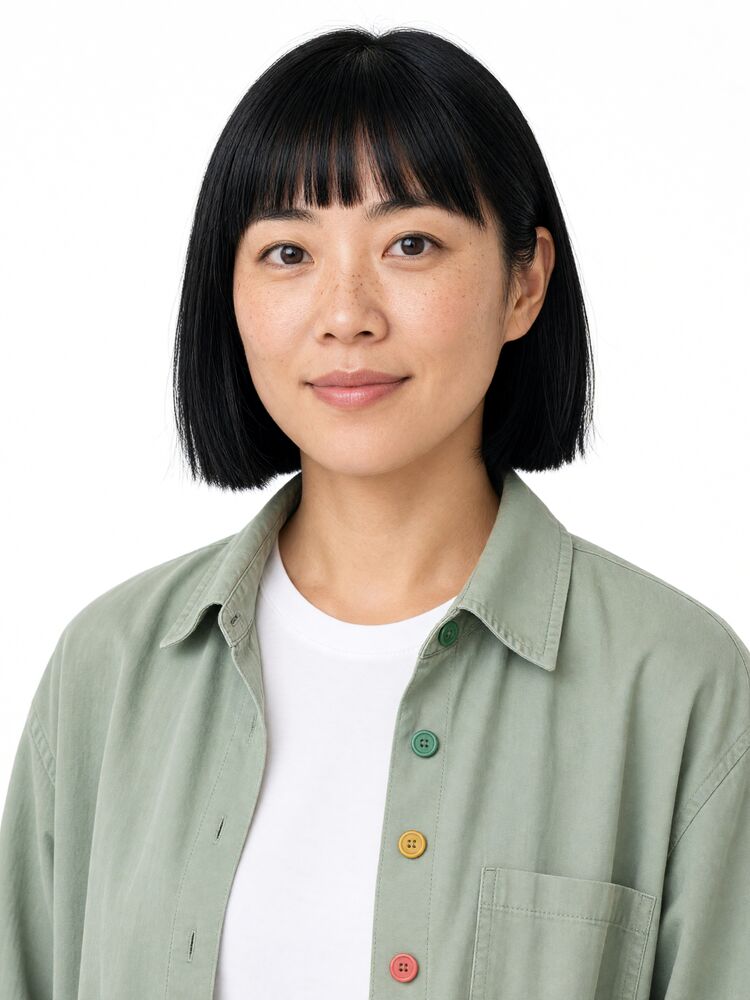 | 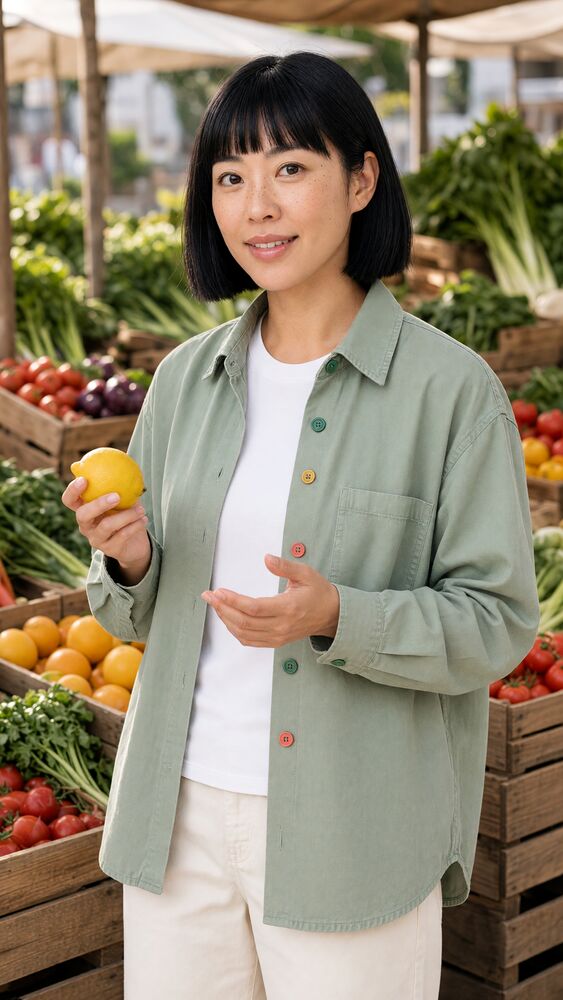 | 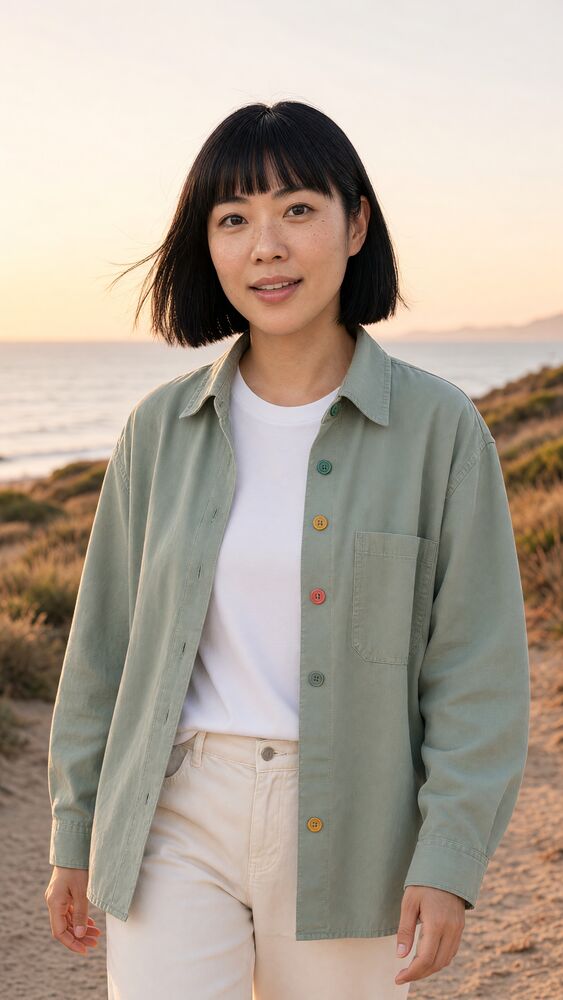 |
| The identity anchor | A scene | A scene used for a talking clip |
What you'll need
- An Ads Optimiser account. Any plan works, but a full character set uses more generations than the Free plan includes (see Costs)
- About an hour for the first pass
- Optional: the Ads Optimiser connector or MCP package in Claude
1. Plan the persona
Decide who the character is before you generate anything. A clear brief keeps every image and script consistent.
| Decision | Juno Vale |
|---|---|
| Niche | Health claims explained in under 10 seconds, each with a simple grade |
| Persona | Curious, direct, dryly amused. Explains like she's talking to a smart friend |
| Look | Korean-Australian woman who appears 30, runner's build, jet-black blunt bob with a fringe, a signature pale-sage overshirt |
| Voice | Natural Melbourne accent, brisk and warm, slows down on grades and numbers |
| Boundaries | Never dressed or posed as a clinician (no lab coat, stethoscope or scrubs). Not a doctor. No medical advice |
| Disclosure | Openly AI. She says so in her introduction, and her profiles say so |
Say it in the bio and, where it fits, in the content itself (Juno's intro line is "Hi, I'm Juno. I'm an AI..."). Use each platform's AI-generated content label where it offers one. For health, finance or similar topics, base every claim on sources you can point to, and keep promotional claims measured: no guaranteed results, income or outcomes.
Pick a few signature details that make the character recognisable at a glance. Juno has four coloured buttons on her overshirt and her hair tucked behind her left ear. Signature details help recognition, but they're also the hardest things for image models to reproduce exactly, so you'll check them at every step.
2. Design the look
Write a detailed description
Write the description once and reuse it everywhere. Juno's:
Juno Vale, an openly AI health explainer: Korean-Australian woman who appears 30, slim athletic runner's build, 168 cm, jet-black blunt chin-length bob with straight fringe, hair tucked behind her left ear, dark brown eyes, light natural freckles across the nose and cheeks. Wears an oversized pale-sage utility overshirt with exactly four buttons, top to bottom: grass green, teal, amber yellow, coral pink; white crew-neck tee, straight cream trousers, white sneakers. Curious, direct, dryly amused. Never dressed or posed as a clinician: no lab coat, stethoscope or scrubs. Not a doctor.
And separate style notes, which describe how every image should look rather than who she is:
Photorealistic, realistic skin texture with visible pores, light freckles and natural imperfections, not airbrushed. Natural skin only; no lines, markings, glow, tattoos, jewellery or earrings on the neck, ears or face. Minimal natural makeup, no glasses. Palette sage #A9B8A0, bone white #F2EFE8, deep teal #1F5C5A, coral #E07A5F. Soft natural daylight. No text or logos in frame.
Models like to add things nobody asked for: a glowing line on the neck, earrings, perfect airbrushed skin, a logo. If you see one, name it in the style notes as something to leave out, as Juno's do ("no lines, markings, glow, tattoos, jewellery or earrings on the neck, ears or face").
Make the identity anchor
Generate one head-and-shoulders portrait on a plain white background. This image fixes her face, and every other view is made from it.
Juno's anchor was made with Grok Image 2.0 at Medium quality, 3:4, 2K, with this prompt (the description is abbreviated here):
Head-and-shoulders close-up portrait, facing the camera directly, calm curious expression with a slight smile. Juno Vale: a Korean-Australian woman who appears 30 years old, ... Plain seamless white background, consistent soft even studio lighting, photorealistic, 50 mm lens look, sharp focus, minimal natural makeup, no glasses, no text, no logos, no watermark.
Generate a few and keep the one that looks most like the person you have in mind. Check it closely before you go on, because every later image inherits its face.
Make each view a separate image, edited from the anchor
A character sheet gives the models several angles to work from. Make one image per view rather than one composite image with every view on it:
- Each view gets the full image resolution, so details such as buttons and freckles stay sharp
- You can check and regenerate one view without losing the others
- Views edited from the same anchor keep the same face
Open the anchor, add it as a reference image, choose GPT Image 2.5 Sunburst, and ask for one view at a time, for example:
The same woman, same face, hair and outfit as the reference. Full-length side profile facing right: her nose points to the right edge of the frame. Standing, plain white background. Pale-sage overshirt worn open with exactly four buttons, top to bottom: grass green, teal, amber yellow, coral pink.
Juno's final sheet, all edited from the anchor with Sunburst:
| 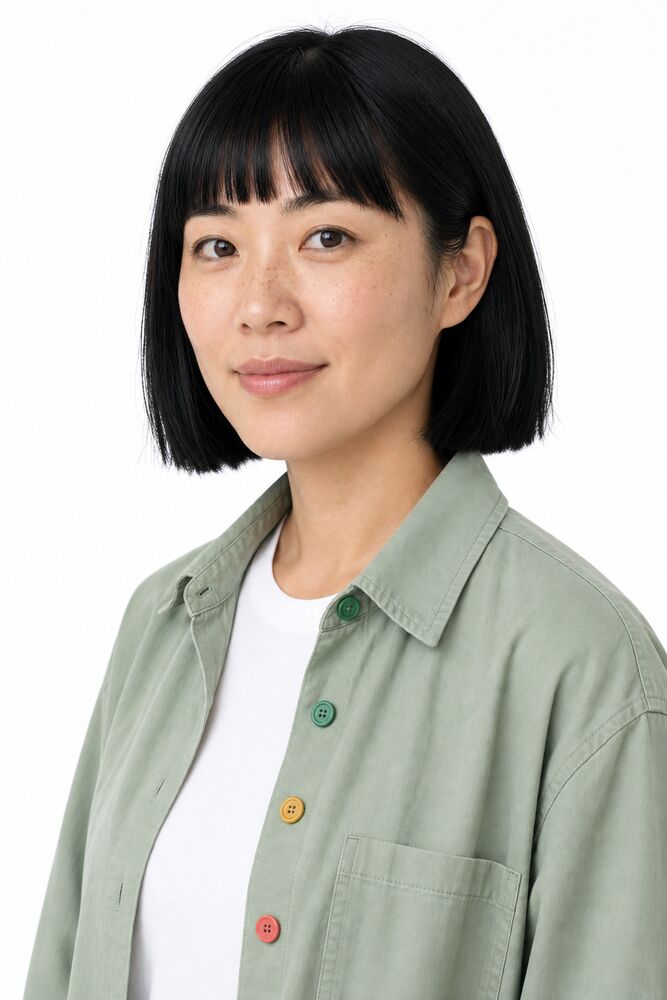 | 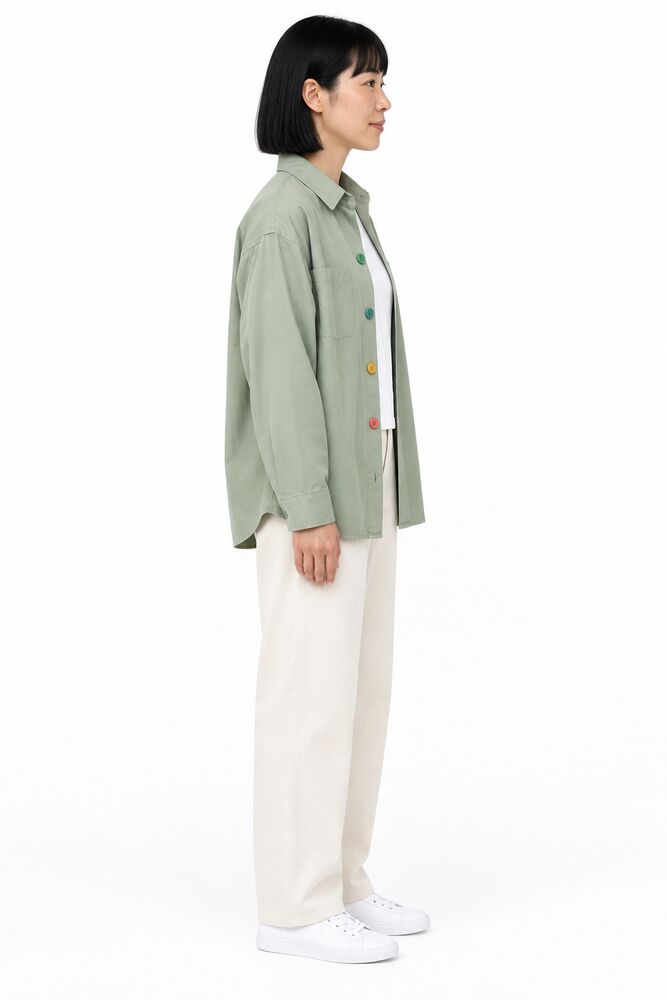 | 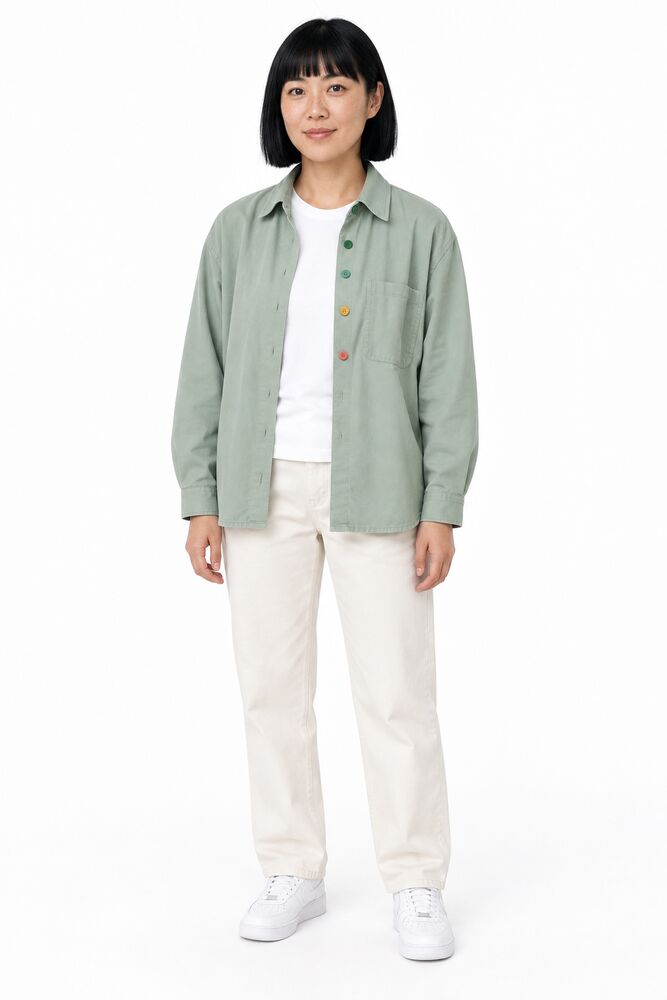 |
| Anchor Grok Image 2.0 | Three-quarter Sunburst edit | Side profile Sunburst edit | Full body Sunburst edit |
Why Sunburst for the sheet
We first tried the views as new Grok images from the description alone. The face was close, but the details drifted:
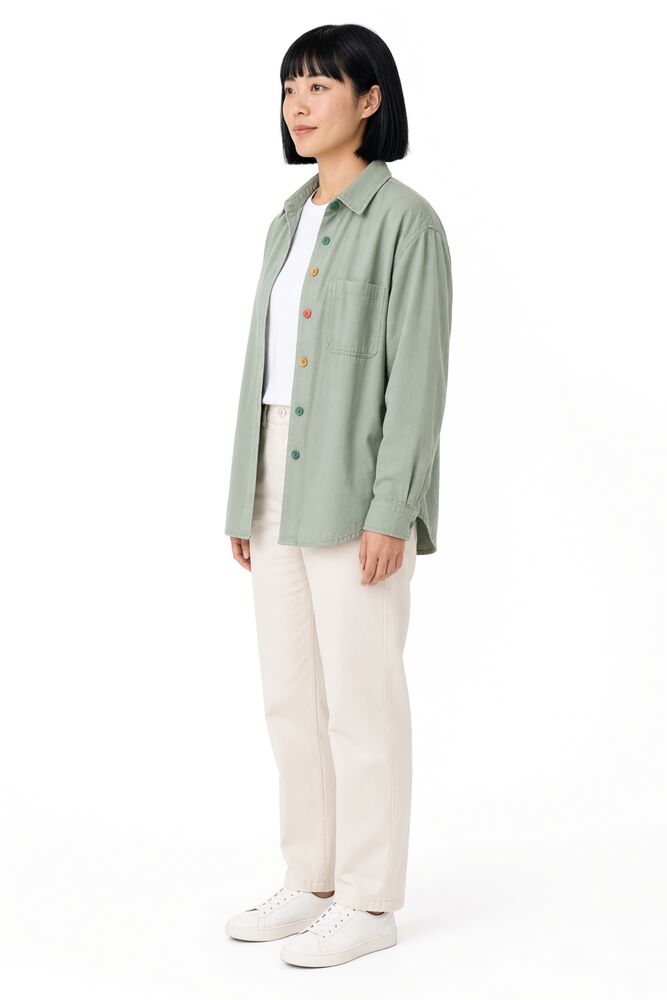 | 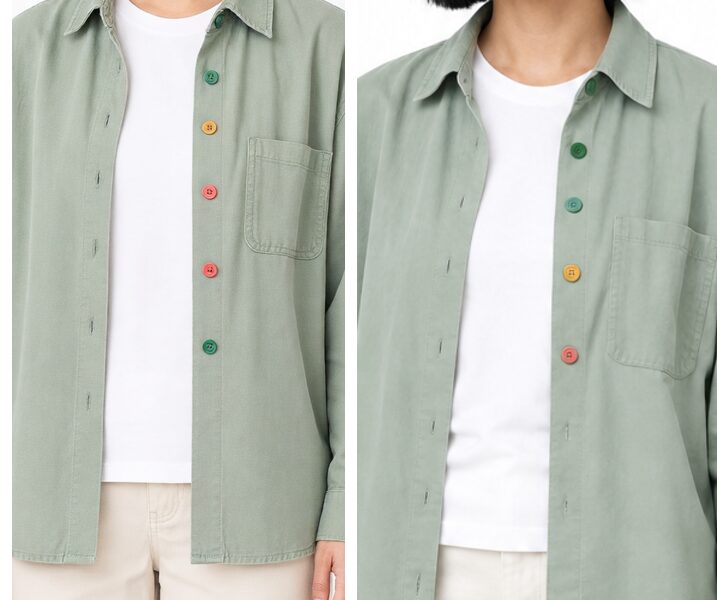 |
| Lesson learned Asked for a side profile, got a three-quarter view | Lesson learned Zoomed in. Left: Grok, five buttons, wrong order. Right: Sunburst edit, four buttons in order |
GPT Image 2.5 Sunburst follows detailed briefs closely, so it got the four buttons in the right order and the view we asked for. It's also quick (about 12 to 17 seconds) and costs about US$0.011 to US$0.022 per image (indicative). See Image Generation.
Lessons learned
- Count and order. Say "exactly four buttons, top to bottom: ...", not "four colourful buttons".
- Left and right. Say whose left you mean. "Hair tucked behind her left ear, so her left ear is visible" works better than "hair tucked behind one ear". For profiles, say which way the nose points: "facing right: her nose points to the right edge of the frame".
- One view per image. A composite sheet is handy for a quick look at expressions, but each face is small, so small details can't be checked or held.
- Check at full size. Small previews hide mistakes. In the app, open the image full size. In Claude, ask it to zoom in with
view_image, for example "zoom into the buttons and tell me their colours, top to bottom".
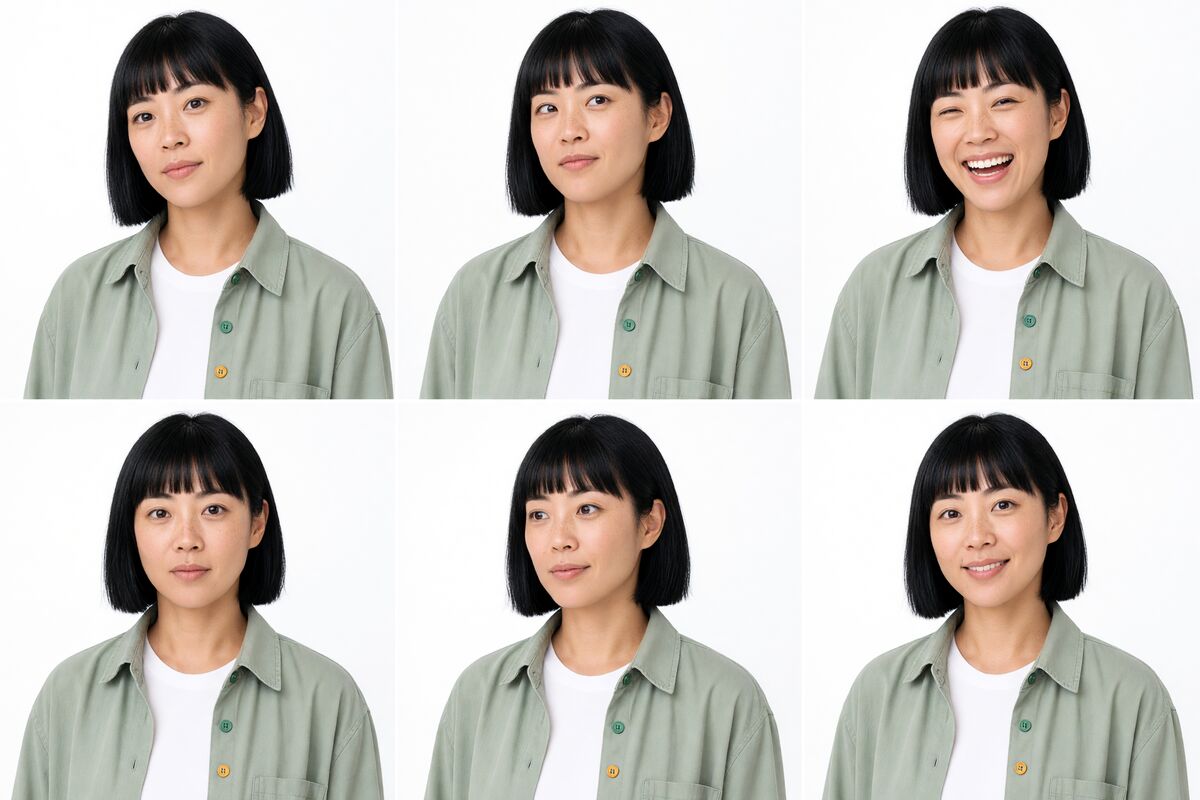
A composite expression sheet (Grok Image 2.0). Useful for choosing expressions, but each face is small and the button details are hard to check.
3. Save the character
- Open Characters and click + New Character
- Character name: Juno Vale
- Description: the description from step 2
- Style notes: the style notes from step 2
- Add the images with From Library (or Upload or Use URL). Put the anchor first, then the other views. Juno uses four: anchor, three-quarter, side profile and full body
- Leave the voice for now (step 4), and click Save Character
A character takes 1 to 5 reference images. Rules of thumb:
- One face. Every image must show the same person. Images made from the same anchor are the safest way to guarantee this. Two slightly different faces make the model average them, and the result drifts
- Different angles, not different people. Add views that show something new (profile, full body), not near-duplicates
- Only accurate images. An image with a wrong detail teaches the wrong detail. Leave it out
Saving a character uses no allowance. See AI Characters for everything a character stores.
4. Give her a voice
Open Juno's page, click Edit, and set up the voice:
-
Voice: an OpenAI voice. Juno uses marin
-
Voice direction: describe how she should sound. Juno's:
Female, sounds around 30. Natural Melbourne Australian accent, educated but casual, not broad. Mid pitch, clear and bright. Brisk, even pace, slowing deliberately when stating a grade or a number. Warm with a light, dry, amused edge when debunking; calm and steady on serious topics. Conversational, like explaining something to a smart friend. Never breathy or flirtatious, never salesy, never a wellness sing-song, never a clinical doctor-like tone, never American.
-
Voice in talking videos (xAI preset): eve. Grok's Voiced video can only speak xAI presets, so this is her backup voice for those clips
-
Click Preview, listen, adjust the direction, and preview again. Previews use no allowance
-
Save
Every preview is kept in her Voice history on the Characters page, so you can compare versions. Juno's two previews of the same line:
| Voice | Preview |
|---|---|
| OpenAI marin with the direction above | |
| xAI eve (backup for Grok talking videos) |
"Hi, I'm Juno. I'm an AI, and I grade the evidence so you don't have to guess. Today's claim: ten thousand steps. Let's weigh it."
5. Make scenes
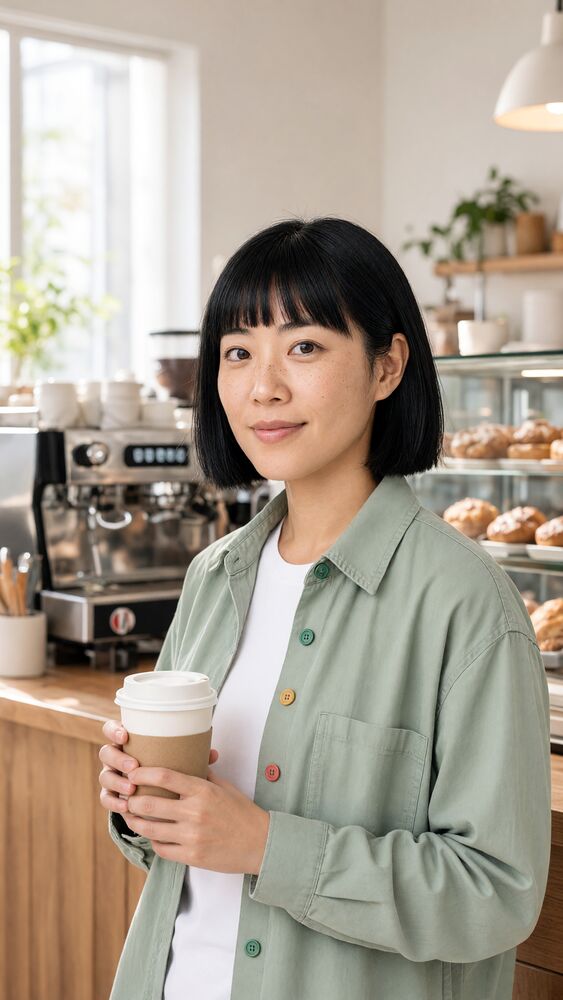
Select Juno as the character on Generate (or use Generate in her Quick actions), write the scene, and generate. Her images and description are added for you, so the prompt only needs the scene. Juno's scenes used Grok Image 2.0 at Medium, 9:16.
Example prompt:
Juno Vale standing at an outdoor fresh produce market stall, wooden crates of vegetables and citrus, holding a lemon, mid-explanation with a curious expression toward the camera, morning sun, shallow depth of field. Medium shot, vertical frame. Photorealistic, not airbrushed, no signs, no price tags, no text, no logos.
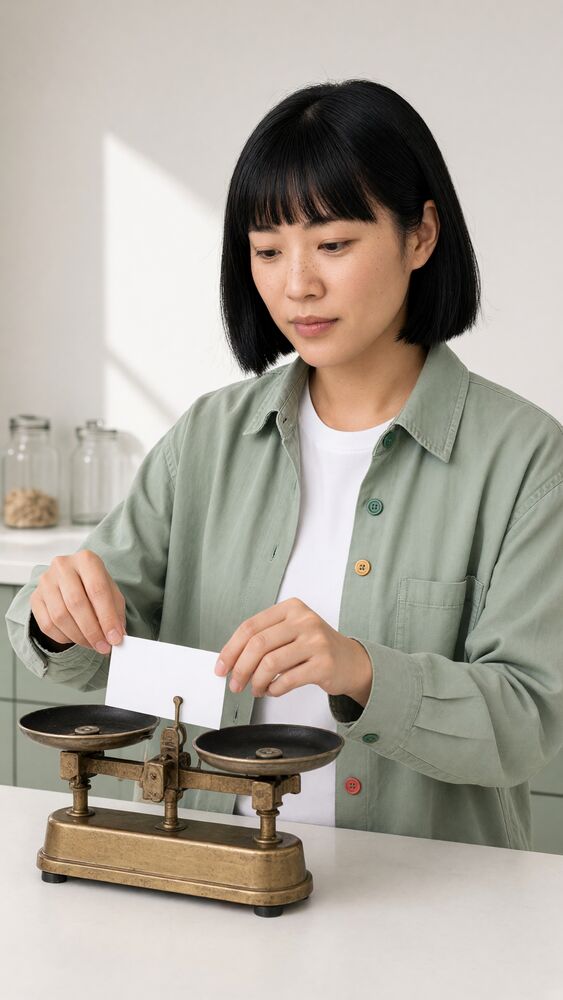 | | 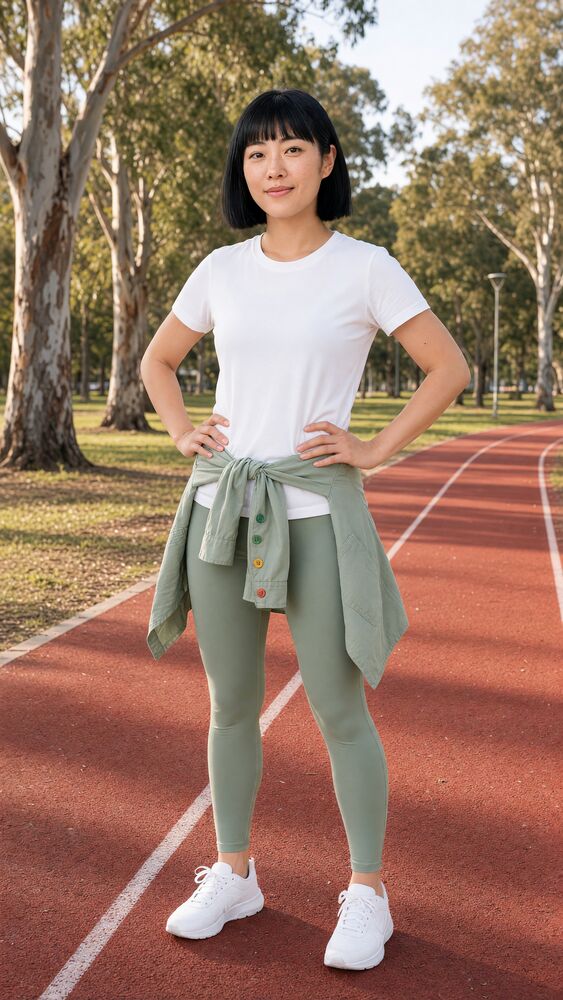 | 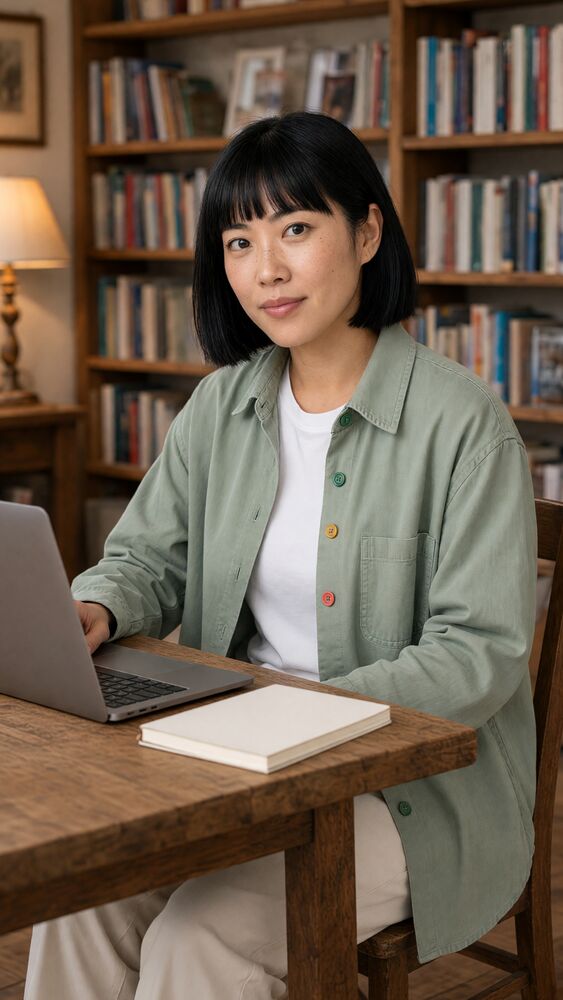 |
| Kitchen set | Market | Park run | Library |
 |  | 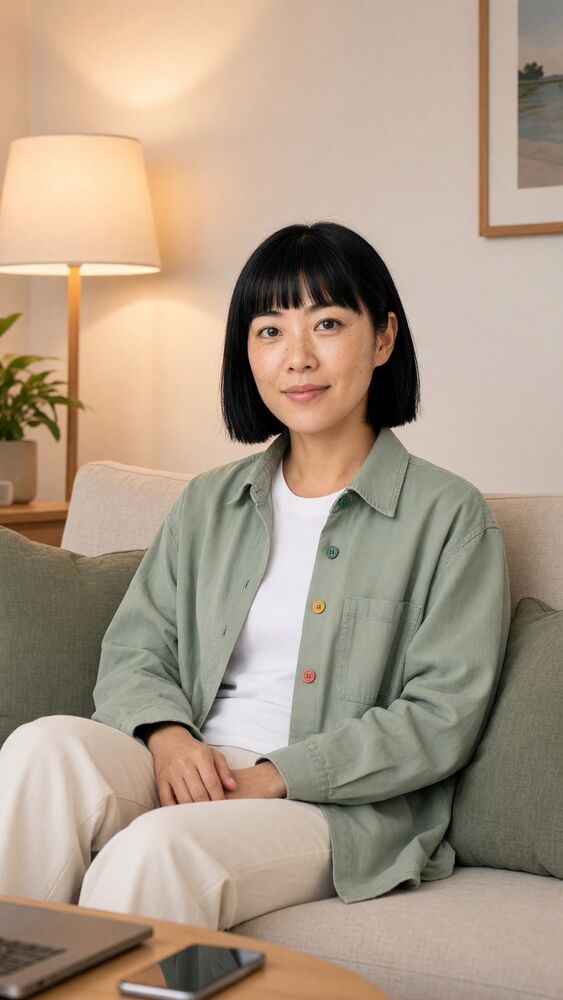 | 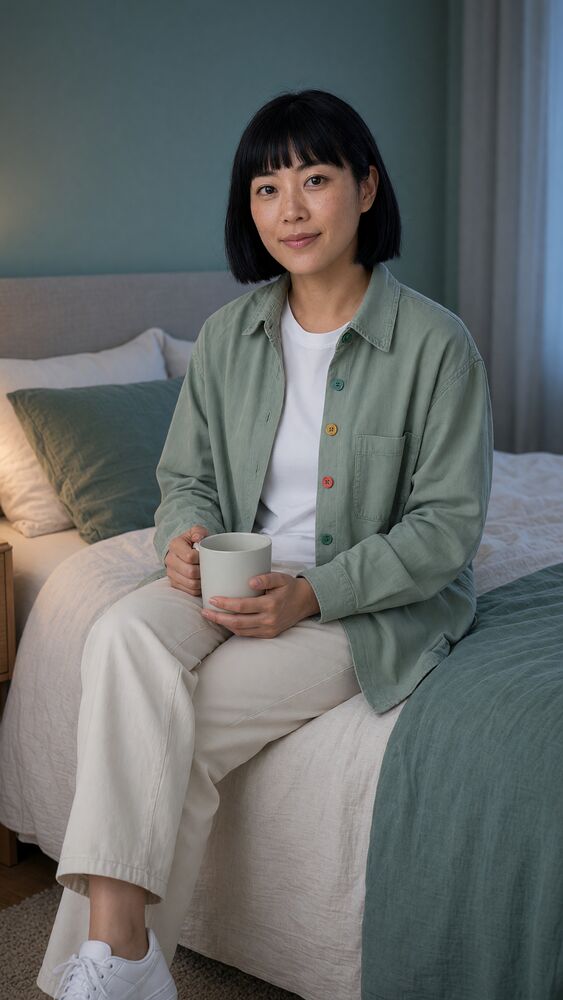 |
| Café | Supermarket | Living room | Bedroom |
Her face, hair and outfit held well across scenes. Look closely, though, and several scenes have more than four buttons: Grok keeps the overall look but not every small detail. For b-roll that's usually acceptable. When a detail must be exact, generate the scene with GPT Image 2.5 Sunburst, or check it with view_image before you use it.
When a scene goes wrong
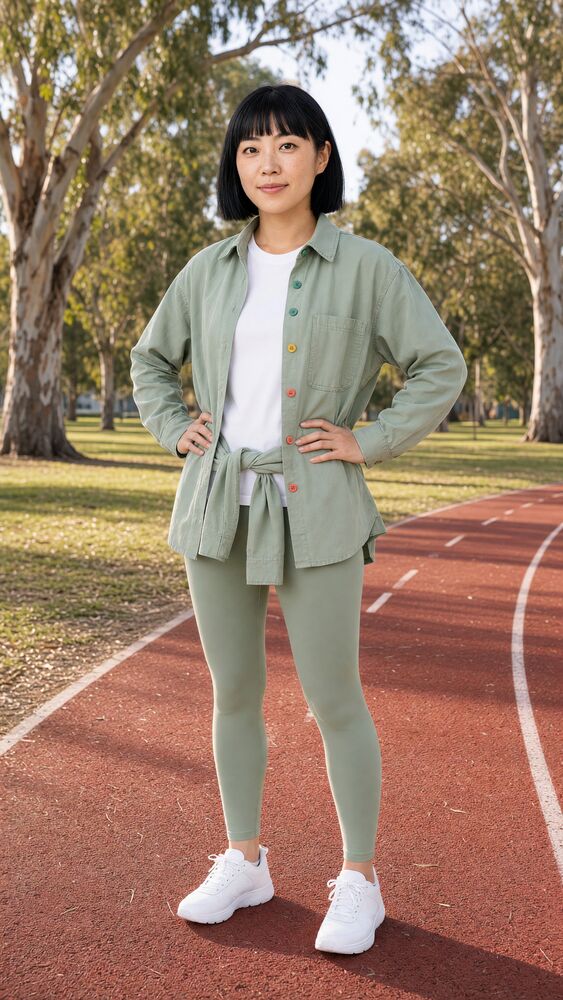 | |
| Lesson learned Two overshirts: one worn, one tied | Fixed Outfit spelled out for this shot |
The character's description says she wears the overshirt, so asking for it "tied around her waist" gave her two. The fix was to describe the whole outfit for this shot only: "Running outfit for this shot only: on her upper body she wears only a white crew-neck tee; her sage overshirt is tied around her waist...". When a scene changes the character's usual outfit, say what replaces it, not just what to add.
Thumbnail and profile picture
For a YouTube thumbnail, ask for empty space where the title will go, and keep props simple. Juno's used 16:9:
YouTube thumbnail base: Juno Vale at a white stone benchtop against a plain pale sage wall, positioned in the lower right two-thirds of the frame, sceptical raised eyebrow toward the camera. Beside her on the benchtop is a classic brass laboratory balance scale: a central brass pillar with a horizontal beam and two shallow brass pans hanging from chains. No clock, no dial, no numbers. The upper third of the frame is clean, uncluttered pale sage wall for title text.
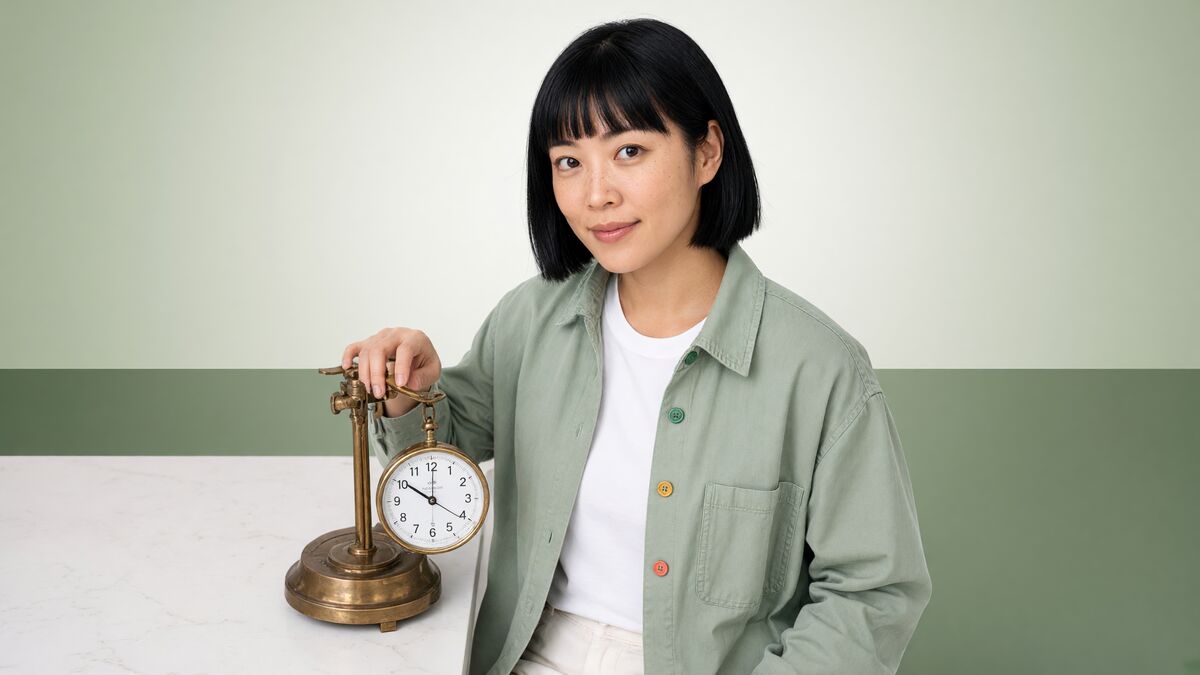 | 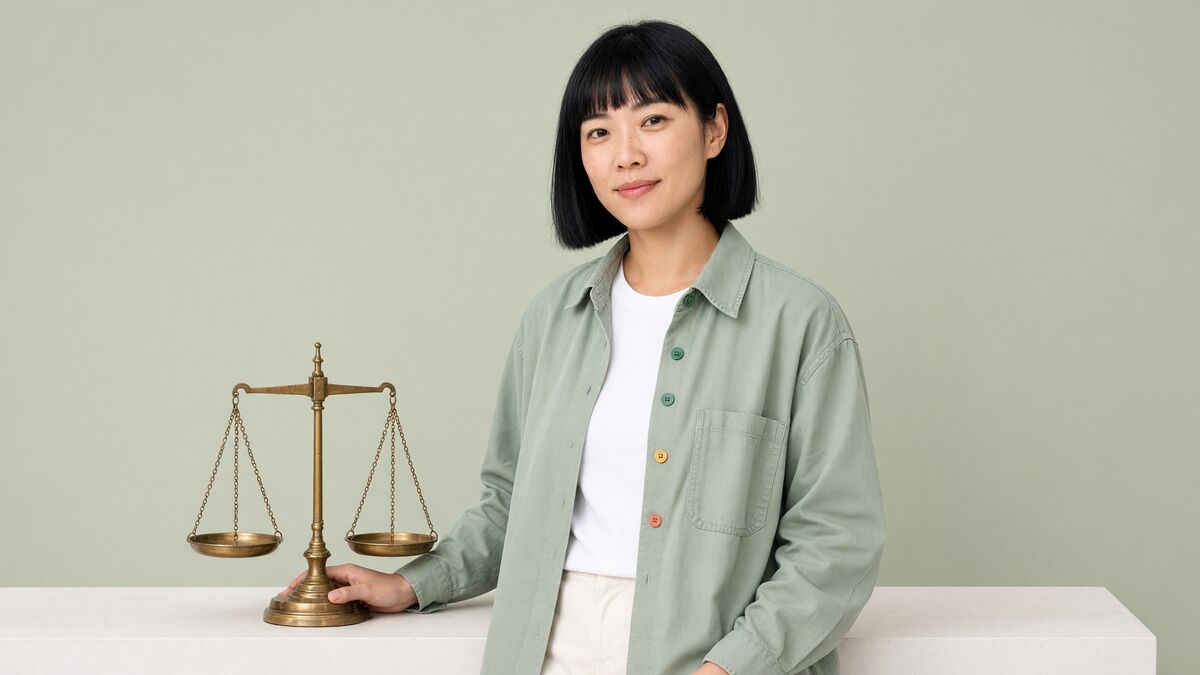 | 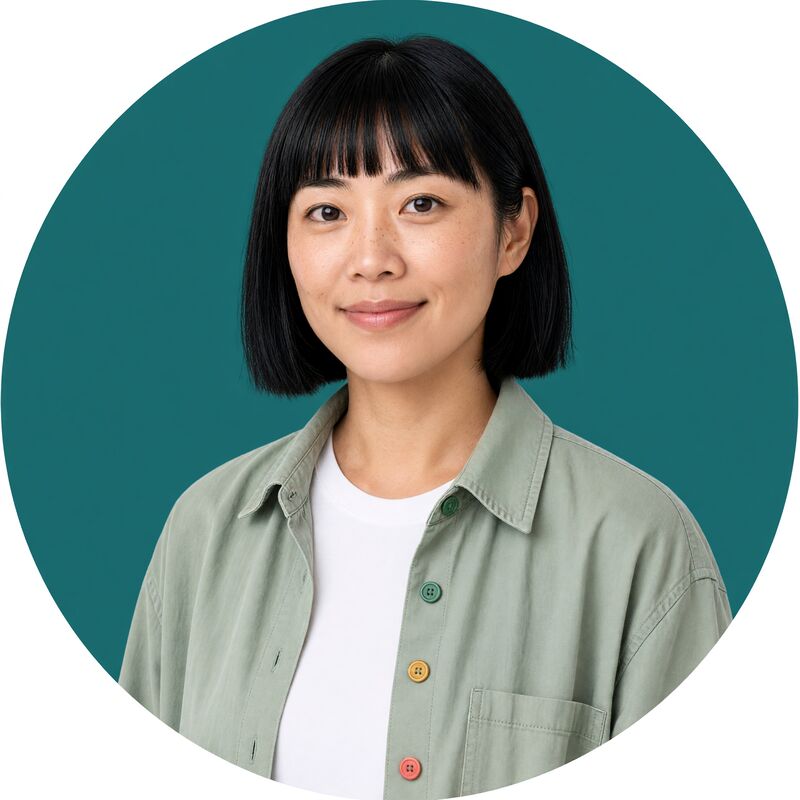 |
| Lesson learned The scale merged with a clock | Fixed Described the scale's parts; "no clock, no dial" | Profile picture 1:1, flat deep-teal background |
Add the title text in your design tool, or over a video with overlays. Thumbnails with strict layouts are another good job for Sunburst.
6. Talking clips
There are two ways to make a character speak to camera.
| Voiced video | Lip-sync | |
|---|---|---|
| Voice | xAI presets only (Juno's backup, eve) | Any voice, including Juno's OpenAI marin with her direction |
| How | Grok Video 1.5 generates the clip and the speech together | A clip is made first, then the mouth is re-animated to match new speech (Kling LipSync) |
| In the app | Generate with the character, Grok Video 1.5, text to video, and a Spoken script | The Character talking clip (designed voice) template, or lip-sync a clip from the character's page |
| Length | Up to 15 seconds, 720p at most | Source clip 2 to 10 seconds at 720p or 1080p |
Voiced video (xAI voice)
These clips are Grok Video 1.5 Voiced videos: text to video, 8 seconds, 720p, 9:16, with Juno's first three reference images guiding the video and eve speaking. Unmute to hear them.
| "Ten thousand steps started as a pedometer ad. Studies say benefits level off earlier. The magic number? Grade D." | "Lots of sitting is linked to worse health. As bad as smoking? No. The link: B. The comparison: D." |
Direct the delivery in the prompt, not just the words: "a soft, calm, unhurried voice at a relaxed conversational pace, warm and gently amused, pausing briefly before 'Grade D' with a small knowing smile. Relaxed and at rest, not out of breath." The park run clip asked for her to be slightly out of breath after a run; the calmer coast clip spells out the opposite.
Lip-sync in her designed voice
To hear Juno in marin rather than eve, use lip-sync. The simplest way is the Character talking clip (designed voice) template:
- Go to Pipelines and choose Character talking clip (designed voice)
- Choose Juno Vale as the character
- Enter the exact line as the prompt, about 20 words
- Click Run pipeline
It places her in a fitting scene, animates an 8-second 720p clip, lip-syncs the line in her voice and adds captions. It takes a few minutes, uses the equivalent of one image and two video generations, and costs about US$0.72 per run in indicative provider costs.
Speech runs about 15 characters a second, so an 8-second clip holds about 20 words. A longer script is refused before anything is charged. Juno's lines are written to fit: a claim, the evidence in a sentence, and a grade.
To lip-sync a clip you already have (for example a scene you animated), open Juno's page, use Lip-sync in Quick actions, pick the clip and enter the line. Each lip-sync uses one video generation.
7. B-roll and captions
B-roll is a scene animated without speech: animate one of the scene images (Image to video) with a simple camera move, then add text.
Use Add overlays on any finished clip:
- Grade cards: a card cue at about 62% of the height, below her face, timed to the moment she names the grade. For the sofa clip: The link: B from about 4.8 s and The comparison: D from about 6.3 s to the end, each on two lines. See Place text exactly
- Auto captions from speech: tick it, and paste her script so names and numbers are spelled correctly. Captions appear word group by word group as she speaks
Watch the clip first and note the second each point is spoken. The new video is linked to Juno, so it appears in her gallery, and it counts as one creative job rather than a generation. Auto captions add about US$0.006 per minute of video for transcription.
In a pipeline, the Add captions step does the same with Caption timing set to speech.
8. Everything in one place
Open Characters and click Juno. Her page gathers everything made with her:
| Section | What's there |
|---|---|
| Quick actions | Generate an image or video with her, run a character template, lip-sync one of her videos |
| Profile | Description, style, voice and reference images (view large, reorder, add, remove) |
| Voice | Her voice settings and every preview, playable |
| Gallery | Every image and video, filtered by kind: images, videos, talking clips, lip-sync, voiceovers, captions |
| Audio | The speech tracks from lip-sync and voiceover clips, with their scripts |
| Scripts | Every line she has spoken, ready to reuse |
| Runs | Pipeline runs that used her |
Download all saves her reference images, finished media, speech and voice previews as one zip, with a manifest.json listing everything. Everything is stored in your workspace, so you only need to download when you want a local copy.
9. Do it all from Claude
Every step above can be done from a chat with Claude, using the hosted connector or the Desktop package. See Use Ads Optimiser in Claude to connect.
| Step | Example prompt |
|---|---|
| Plan | "Help me plan an openly AI health explainer character for TikTok: niche, persona, look, voice and boundaries. Don't generate anything yet." |
| Anchor | "Generate a head-and-shoulders portrait of Juno on a plain white background with Grok Image 2.0 at medium quality, 3:4. Here's her description: ..." |
| Views | "Using that image as the reference, make a three-quarter view, a side profile facing right and a full-body shot, each a separate image with GPT Image 2.5 Sunburst. Tell me the plan and cost first." |
| Check | "Zoom into the buttons on each image and tell me the colours top to bottom. Is her hair tucked behind her left ear?" |
| Save | "Save a character called Juno Vale from the anchor and the three views, with this description and these style notes: ..." |
| Voice | "Give Juno the OpenAI voice marin with this direction: ..., and eve as her xAI backup. Preview it with her intro line." |
| Scenes | "Make four 9:16 scenes of Juno: a produce market, a park running track, a library and a café. Show me each one." |
| Talking clip | "Run the Character talking clip (designed voice) template for Juno with this line: ..." |
| Captions | "Add auto captions to that clip using the script, and a card saying 'Grade: D' from 6 to 8 seconds at 62% height, below her face." |
| Review | "Show me everything made with Juno this week." With the MCP package: "...and save it to my Desktop." |
Tips:
- Ask Claude to confirm before generating. It can start several images or videos at once. Ask for the plan and estimated cost first
- Let Claude look. It sees previews of what it makes and can zoom in with
view_image. Ask it to check signature details before saving a character - Nothing needs saving locally. Everything Claude makes is stored in the app
10. Costs
Indicative provider costs in US dollars, as a guide to what each step uses. They aren't what you're billed: your plan's allowances apply (see below).
| Step | Model | Indicative cost |
|---|---|---|
| Image, precise | GPT Image 2.5 Sunburst, Medium | About US$0.011 (about US$0.022 with one reference image) |
| Image, general | Grok Image 2.0 | About US$0.04 to US$0.06 |
| Voiced video | Grok Video 1.5 with a preset voice | About US$0.14 per second (about US$1.12 for 8 seconds) |
| Talking clip in a designed voice | Character talking clip (designed voice) template | About US$0.72 per run |
| Auto captions | OpenAI Whisper transcription | About US$0.006 per minute of video |
| Voice previews, image previews in Claude, saving the character | None | Free |
Plan limits
- Each image, video and lip-sync uses a generation from your plan's monthly allowance, and videos also count toward a daily video quota
- Overlays and captions count as creative jobs, not generations
- Saving characters and previewing voices use no allowance
As a guide, Juno's first pass (an anchor, a sheet of views, around 15 scenes and thumbnails, a profile picture and a handful of talking clips) takes roughly 25 to 35 generations, including retries. See Billing & Plans for each plan's allowance.
Related
- AI Characters: everything a character can do
- Image Generation: models, quality and when to choose Sunburst
- Overlays & Captions: timed cards and speech-timed captions
- Pipelines: character templates
- Use Ads Optimiser in Claude